Colorspacer
A downloadable Addon

The intuitive blender addon that assigns colorspaces to all your textures with a single action

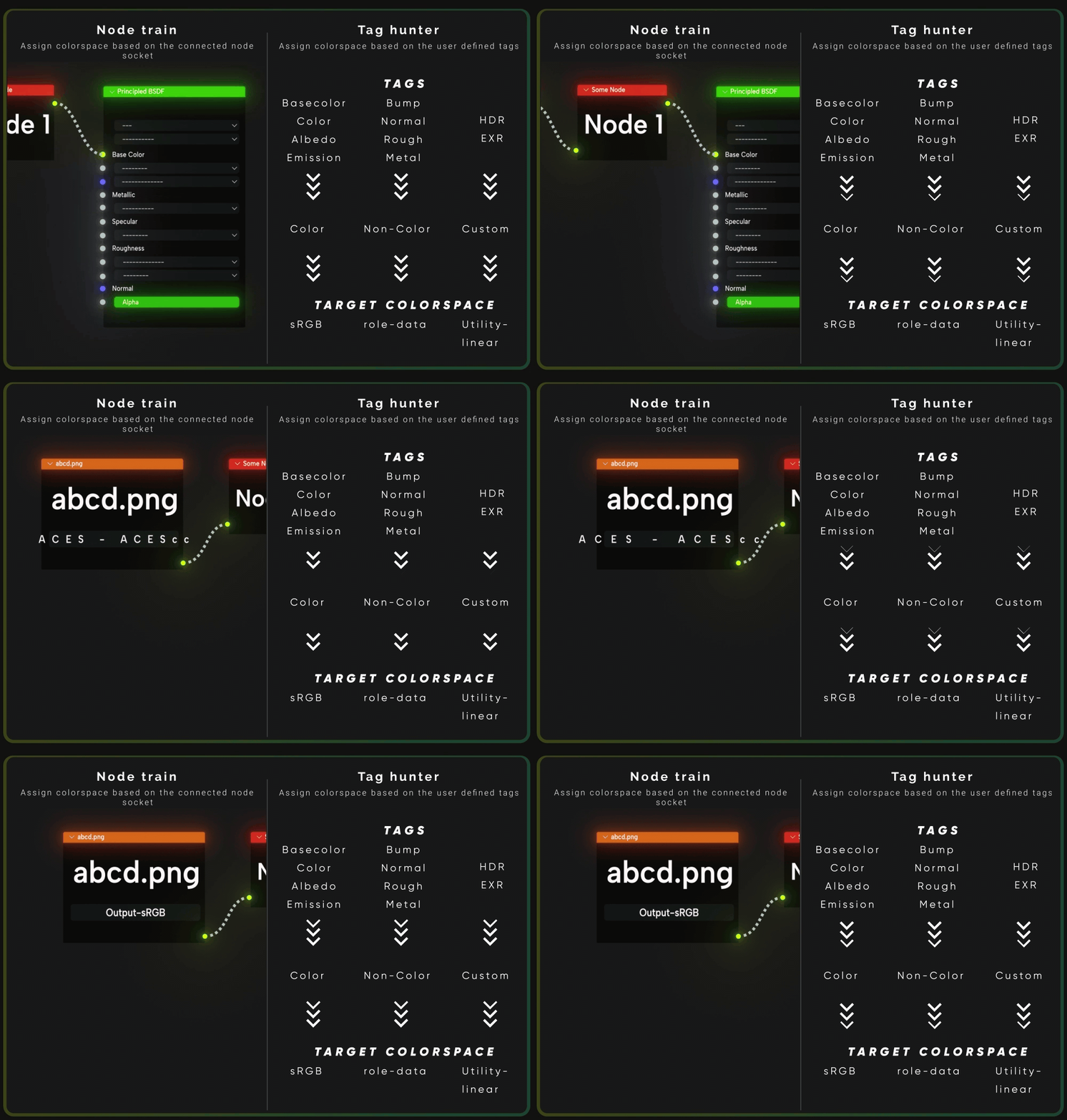
Supports ACES, BLENDER, AGX Colorspaces by default, Custom menu allows for any possible combination of colorspaces, more options can be added upon request


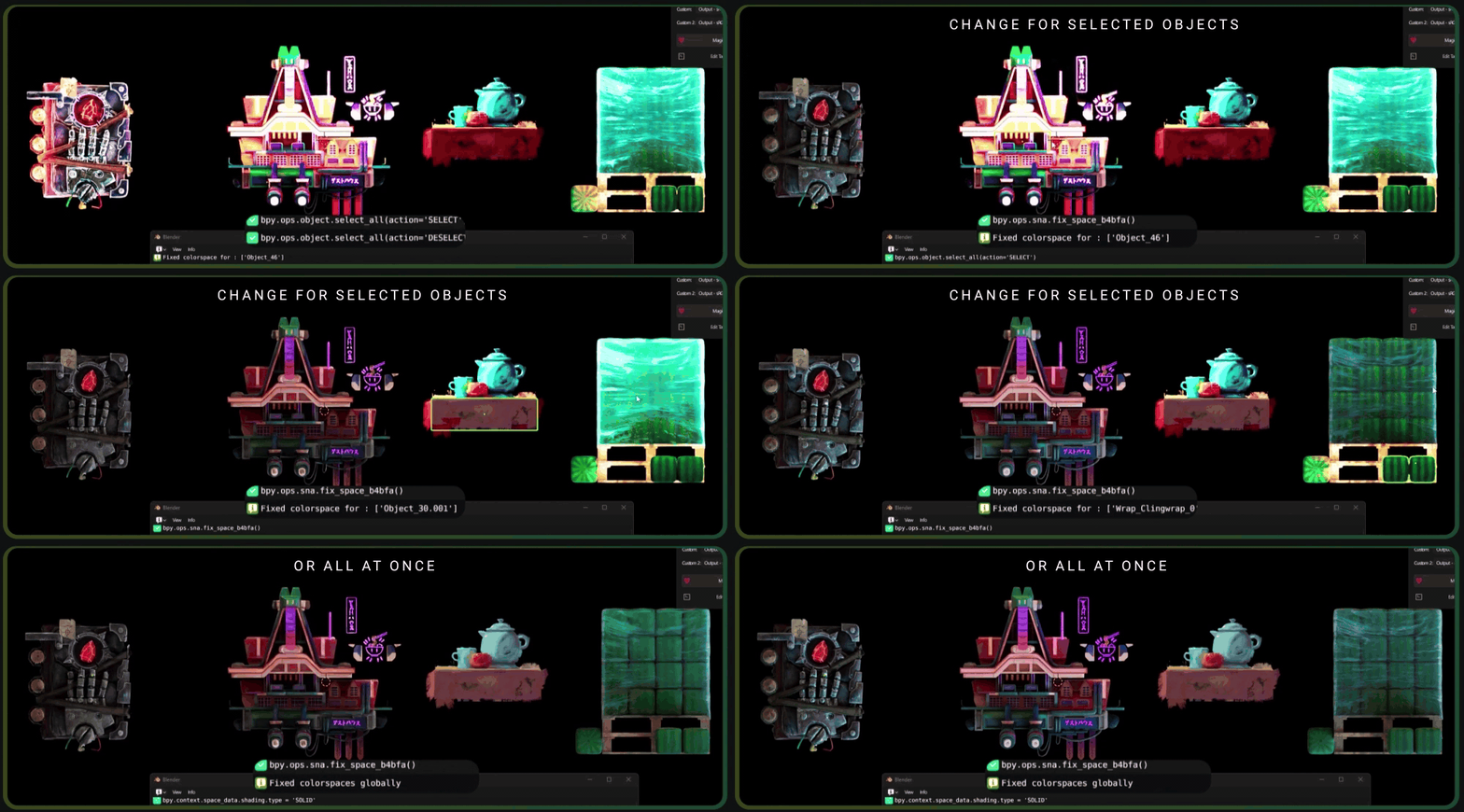
With colorspacer, you are in control, Fix colorspace of selected objects or fix it for all at once

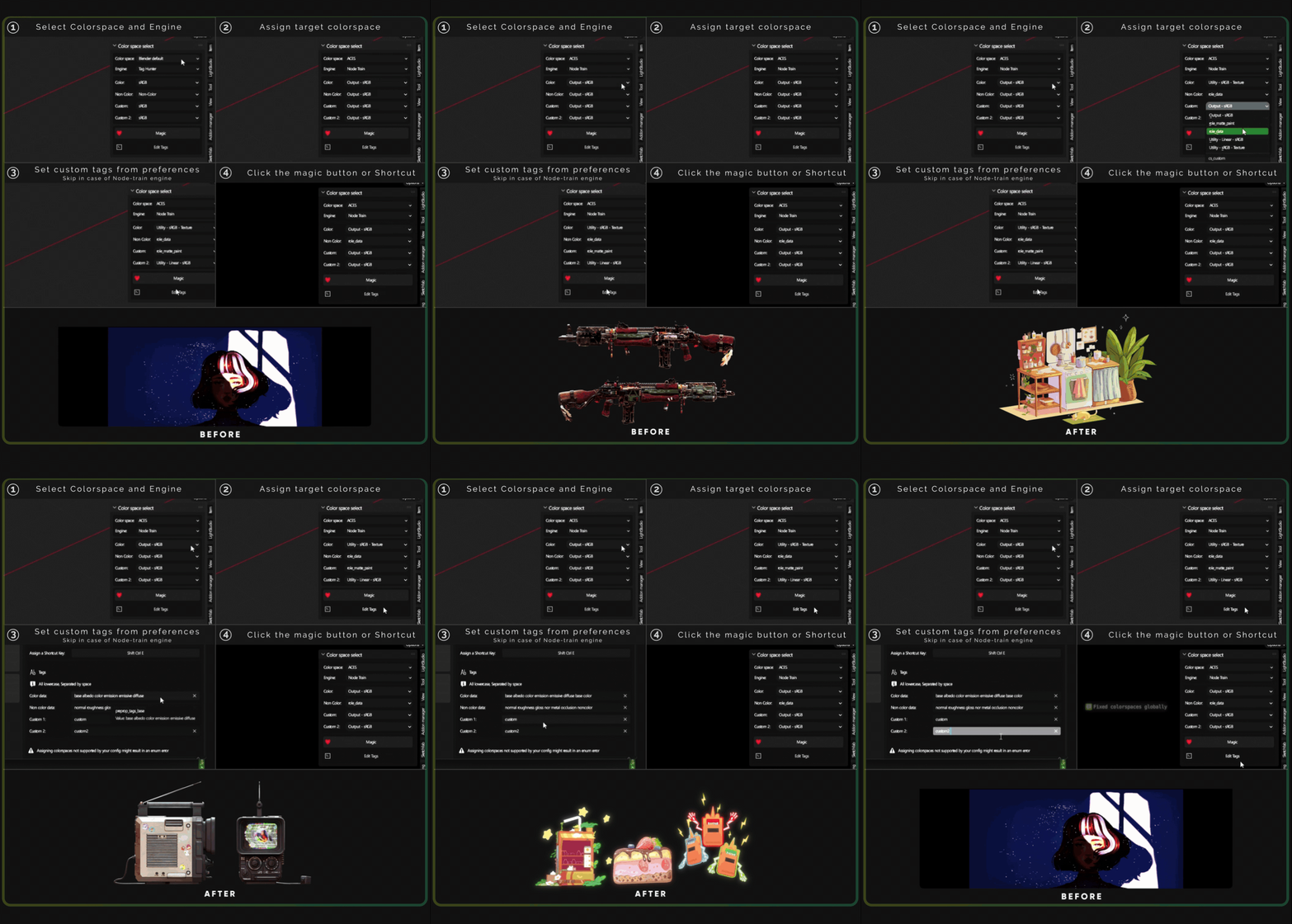
Using colorspacer is a breeze, thanks to the intuitive UI, you won’t be clicking anything unless needed

Colorspacer is in active development, new updates are released almost every month and bring new features/Quality of life changes with them
Colorspacer is now in maintenance mode You can also send your Bug-reports/feature suggestions via Messages/Reviews/Github page

You have to have an OCIO that has ACES in order to use it - You can download it from Official github (direct download) or get the minimal ACES OCIO from the patreon of Alfie Vaughan here
You have to adjust the settings and preference for the addon on first use, it will retain the settings after that
The addon does not yet support custom node groups
Most Enum errors are because of Colorspace-OCIO mismatch, please see the color roles for your OCIO and set them accordingly

You can download the free version of colorspacer The free version is limited to the 1.0 Update and does not include the Node-train engine
Please check out the documentation for the changelog and How to use
Purchase
In order to download this Addon you must purchase it at or above the minimum price of $8 USD. You will get access to the following files:
Leave a comment
Log in with itch.io to leave a comment.